You’ve decided to jump in and become a social media content creator. I understand it can feel overwhelming. You’ve been working on your niche, developing your content strategy, and researching the various social platforms. So, you’ve got that part sorted out. But now comes the challenging part. What equipment do you need to become a social media star? Those influencers on TikTok with those awesome videos have to be pros. Nope! All it takes is an iPhone and a few other essentials, and you’ll be up and running in no time.
In this blog, I will share my current setup, which is very simple, and share how it started. I will also outline everything you need to get started and become a pro in no time.
High-Quality Content Production Is Easily Accessible
A lot has changed in my content creator setup since jet-setting around the world in 2022 on my quest to become a travel blogger. I know this sounds wild, considering it has only been three years since I started. Technology is evolving around us at unprecedented rates. Features like sound and video quality, along with other tools and apps, have significantly improved over the past three years. Professional quality can now be achieved on almost any budget.

Social Media Platforms I Use
My main social media platforms where I need a video setup are TikTok, Instagram, and YouTube. I also use my AV setup for my audio podcast, which is available on various platforms, including Spotify. I’m just clarifying this so you understand how I use my current setup, which will help you decide if it could work for you.
Check out my TikTok and YouTube pages to get a glimpse of my content and see what my production looks like.
My Content Creator Portable Video Setup

Since I produce travel content, I need a setup that is portable and easy to pack, as I travel light. I carry a packing tube filled with equipment I use occasionally. However, for everyday video production, all you really need is an adjustable tripod, a light, and some enhanced sound. My setup easily fits in my carry-on and is lightweight. Below is a summary of that setup and the products I use.
My Recording Equipment Setup
The iPhone Pro Max Is My Main Recording Device to create content
Most vloggers use either a GoPro or an iPhone as their main camera. When I started, I had both, but I found that once I began traveling, it was easier to use my iPhone. After all, our phones have become our connection to the world, and we carry them with us 24/7. Plus, you don’t need to carry a separate recording device everywhere you go. iPhones are also great for taking professional-quality photos. My preferred model is the iPhone Pro Max. I recommend using an iPhone, but you should choose what works best for you.
Here is a link to check out the latest iPhone 17 Pro Max.
I Use a GoPro for Certain Activities
iPhones aren’t perfect for everything, though. If you plan on filming underwater, in areas where it might get wet, or if you’re a thrill seeker, you should consider a GoPro. I still carry my GoPro in my luggage for activities like these.
Here is a link to check out the latest GoPros.
Mounting Equipment I Use To create content

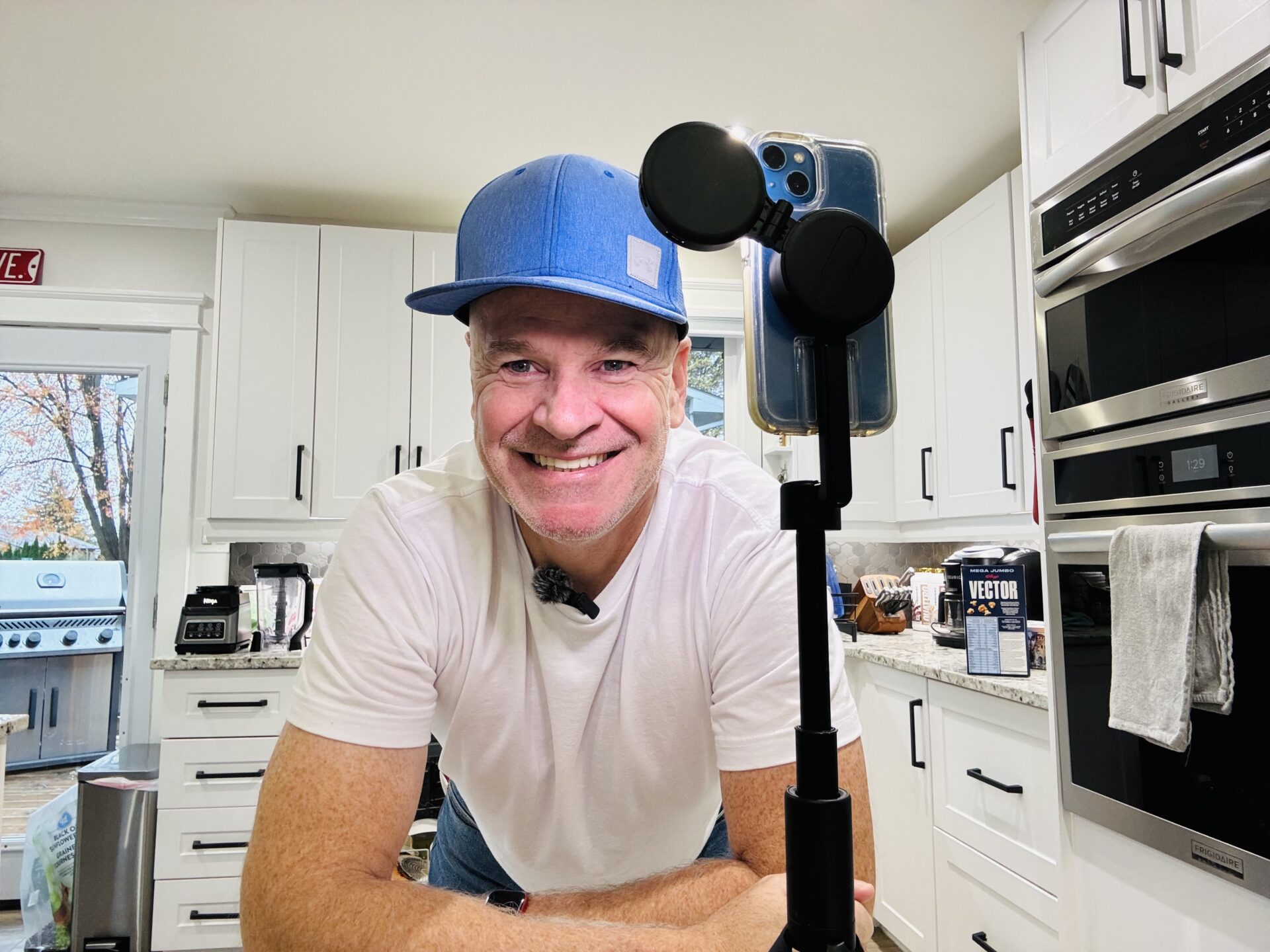
If you’re serious about being a content creator, you need a suitable tripod. I have a magnetic tripod from ClipLook. This is all I need for 90 per cent of my content. It functions as a basic tripod, but what I love about this tripod is that it extends up to 5 feet. This provides more creativity and flexibility for my content. Because it’s magnetic, it’s easy to attach a magnetic ring light, and you’re almost set.
The Magnetic ClipLook tripod is perfect for solo travelers who want to take selfies with scenic backgrounds like landscapes and cityscapes. It allows me to capture photos and videos that I can’t get with my typical selfies. It comes with a Bluetooth remote, making it super easy to take selfies from a distance. This tripod is compact and easy to carry, as it fits easily inside my fanny pack.
Here is a link if you would like to check out my ClipLook tripod setup.
I Use a Basic Tripod from Small Rig
I still use the tripod I started with, which is a basic Ulanzi model. This one isn’t magnetic, so you need either an iPhone cage that attaches to your tripod or a mount to hold your accessories. I use a magnetic iPhone cage from SmallRig. The cage has small holes and slots where the tripod screws in. My iPhone’s magnet sticks to the back of the cage, allowing me to mount my lighting and microphone.
I use this setup when I can’t attach my wireless microphone to my clothing, if I’m moving a lot, or if I’m demonstrating something with my hands. My wireless sound setup doesn’t always work well when I’m on the move. This sound system is connected directly to my phone, so it works better in these instances.
I use A Wireless Microphone from Lavalier

Sound quality has improved significantly over the past few years since I started vlogging. When I began, I used a clip-on mic called the Purple Panda from Lavalier, which had a clunky cord. The sound was decent, but it was nothing like the quality we have now.
I now use a wireless lavalier mic. The sound quality is exceptional. It has a piece that I plug into my phone, which connects to two microphones. I can use both if I want to interview someone. It has a small clip I can attach to my clothes, but I usually hold it. When I clip it to my shirt, the sound isn’t as clear and sometimes cuts out if I’m moving a lot. This is the only sound I need for 90% of my content. As I mentioned earlier, I also use another mic that clips onto my phone for the other 10 percent of the time.
This is the link to my wireless Lavalier microphone.
My Lighting Set Up
Lighting has also improved in recent years, particularly with magnetic technology. I own a magnetic light from ClipLook that attaches to my ClipLook extendable tripod. It’s very compact but effective for typical social media needs. It also sticks to my iPhone if I need extra lighting for a photo. It comes in handy, too, when I need a light while travelling at night in a pinch. If I’m wandering through a night market and want to do a quick video, I just quickly stick the light to my phone. Good lighting is essential for your content creator setup.
This is a link to my ClipLook light, which you can purchase at the same time as the extendable tripod. This is the light shown in the tripod pictures I shared.
I also have a light for the basic tripod I mentioned earlier. My other light is from Vijim and attaches to my iPhone cage in the shoe I mentioned earlier. It works great too; it’s all about how you set up your gear. Both lights are rechargeable and include the necessary accessories for charging.
Editing Apps I Use to Create Content

You now have some great footage and are ready to start editing. Social media platforms like TikTok have their own editing tools that work great. They now even save to your phone without the watermark, allowing you to share your video across different platforms.
I Use InShot to edit my content
If you plan to use other platforms like YouTube, you’ll need a separate editing app. I use InShot. It’s great for YouTube, and I also use it for TikTok and Instagram. It also features photo editing for your YouTube thumbnail, so you don’t need another app for photos. I also use photo editing for Instagram and Facebook images, as well as cover photos for my podcasts. With InShot, you can edit all your content across multiple platforms. It’s the only app you need.
Content Creator Tips
I carry an extra iPhone

I do this for a few reasons. One big one is that in case my phone gets stolen or lost, I have a backup. I had my phone stolen while travelling in Peru, and thankfully, I had a spare. Another is if the battery dies while visiting once-in-a-lifetime attractions, I have a backup recording device to capture the moment. And yes, this happened to me on a tour of Cairo. An extra phone can also come in handy when creating content that requires a prop, such as demonstrating an app you use on your phone. I also use an extra phone when creating content, such as eSIM-branded content. The next time you need a new iPhone, keep the old one!
Side Handles from SmallRig
If you are visiting bucket list attractions and you want still professional quality shots, invest in side handles from SmallRig. These are amazing, and people often ask me how I get such steady shots, and I tell them it’s the side handles. The side handles from SmallRig attach to my iPhone cage, and I instantly look like a pro.

That’s all there is to it. This is my content creator setup that I use for all my content. It might sound like a lot, but it really isn’t. It’s pretty basic considering the professional content quality you can achieve without breaking the bank.
Check out my other reviews
You can read more travel tips blogs here
Check out all of my travel blogs
Follow me on Instagram
Check out my solo travel podcast on Spotify

Leave a Reply